
Skip to content
Armband Creator

Create Wristbands in Minutes.
Without the Hassle.

The simplest way to build custom play-call wristbands, or armbands, for your baseball or softball team.

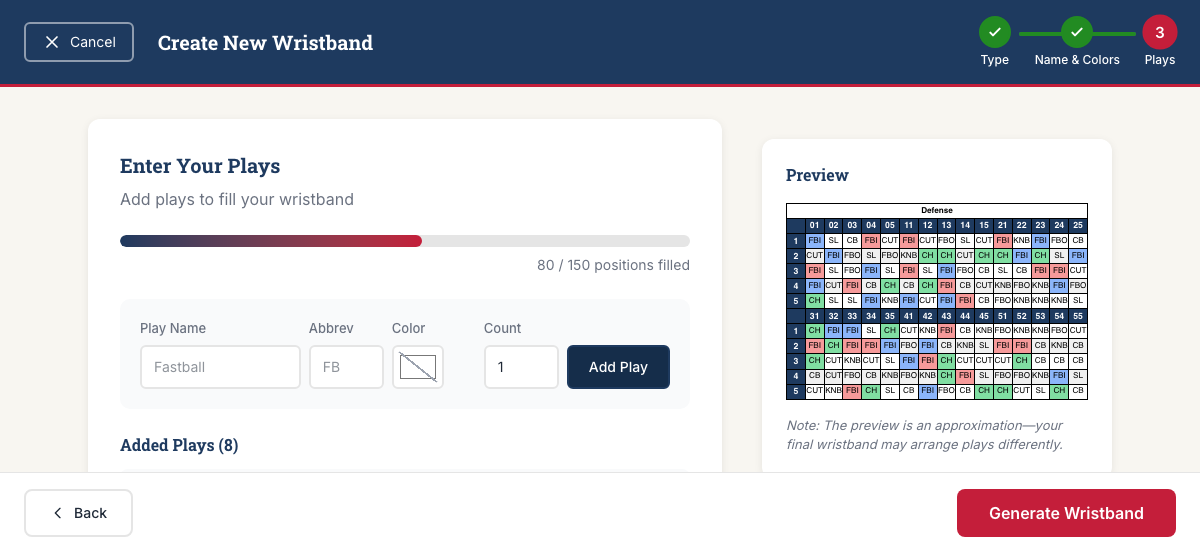
Screenshot of the enter your plays page in the Armband Creator application

The Problem

Wristband Tools Are Built for Designers, Not Coaches

Too Many Clicks

Most tools bury you in menus and options. You just want to get your plays on a wristband.

Hard-to-Edit Layouts

Changing one play means reformatting the entire sheet. It shouldn't be this complicated.

Unnecessary Setup

Team setup, subscription tiers, wristband measuring... all you need is a printable wristband.

The Solution

Built by Coaches, for Coaches

We're coaches who got tired of fighting with clunky tools. Read our story

Dead Simple

No learning curve. Add your plays, customize colors, and print. That's it.

Ready in Minutes

From zero to printed wristbands in less time than it takes to run batting practice.

Easy Edits

Change a play mid-season? Create a fresh set instantly.

How It Works

Three Steps to Game Day

1

Create Your Wristband

Choose Simple (color-coded columns for 8U-12U) or Advanced (grid layout for 14U+). Name your wristband and pick your team colors.

2

Add Your Plays

Enter your plays. Create your own custom play set in seconds, and on Advanced wristbands give any play call its own color. No complicated setup required.

3

Print and Play

Download as a print-ready PDF. Cut, laminate if desired, and you're ready for game day. Print coach call sheets too.

Features

Everything You Need. Nothing You Don't.

  • Unlimited Wristband Creation for Life
  • Custom Play Sets
  • Simple & Advanced Layouts
  • Team Branding & Colors
  • Coach Call Sheets
  • Baseball & Softball
  • Instant PDF Downloads
  • No Subscription Required

Blog

Latest Posts

Guides

How to Create an Advanced Play-Call Wristband

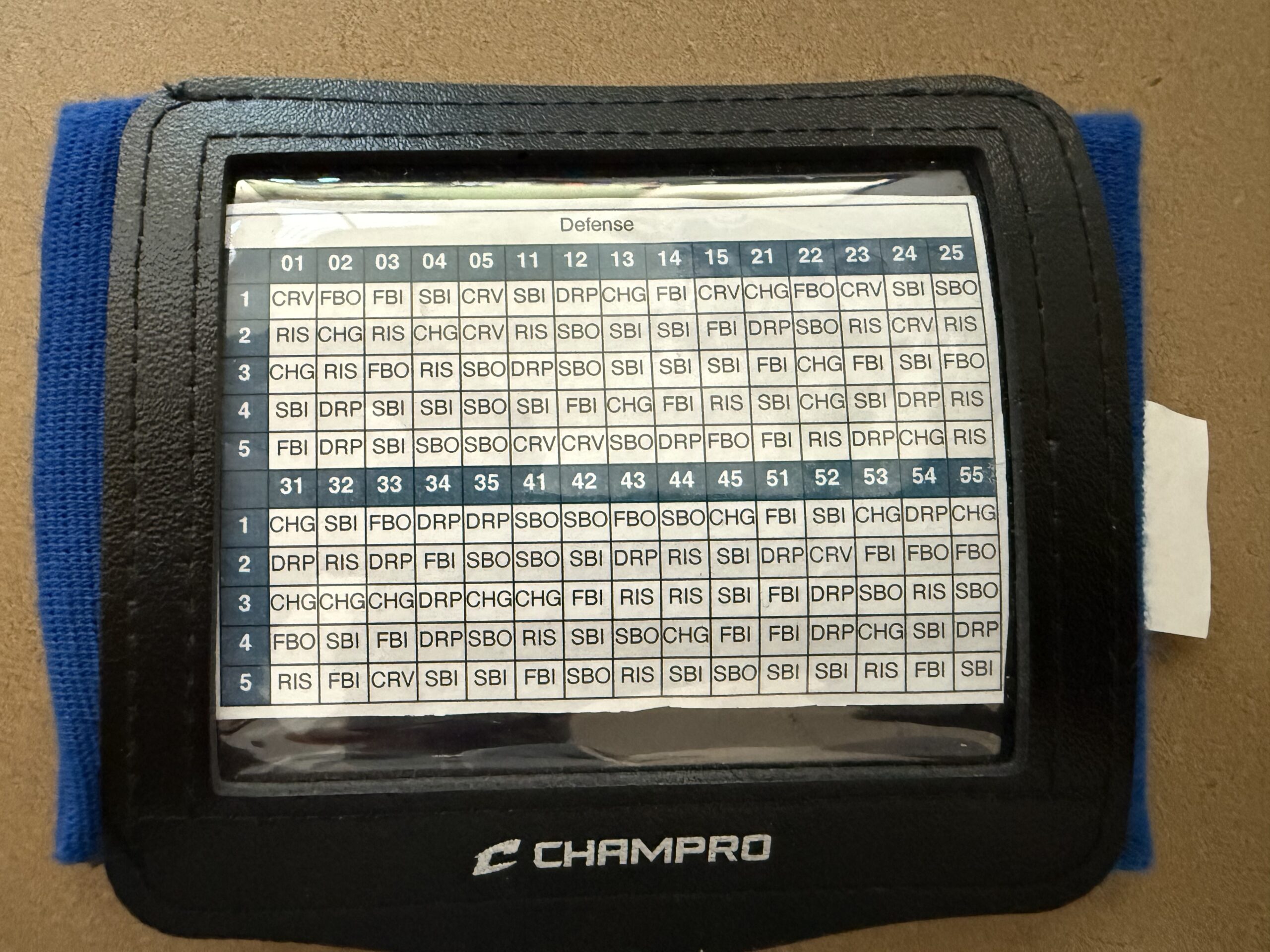
The Advanced layout in Armband Creator is built for competitive baseball and softball — 14U travel ball, high school varsity, college programs, and any team that needs a deep playbook on every player's wrist. It packs 150 positions into a compact 30×5 grid using three-character abbreviations and numeric calls. If your team has outgrown color-and-number signaling, this is the layout you want.
Guides

How to Create a Simple Play-Call Wristband

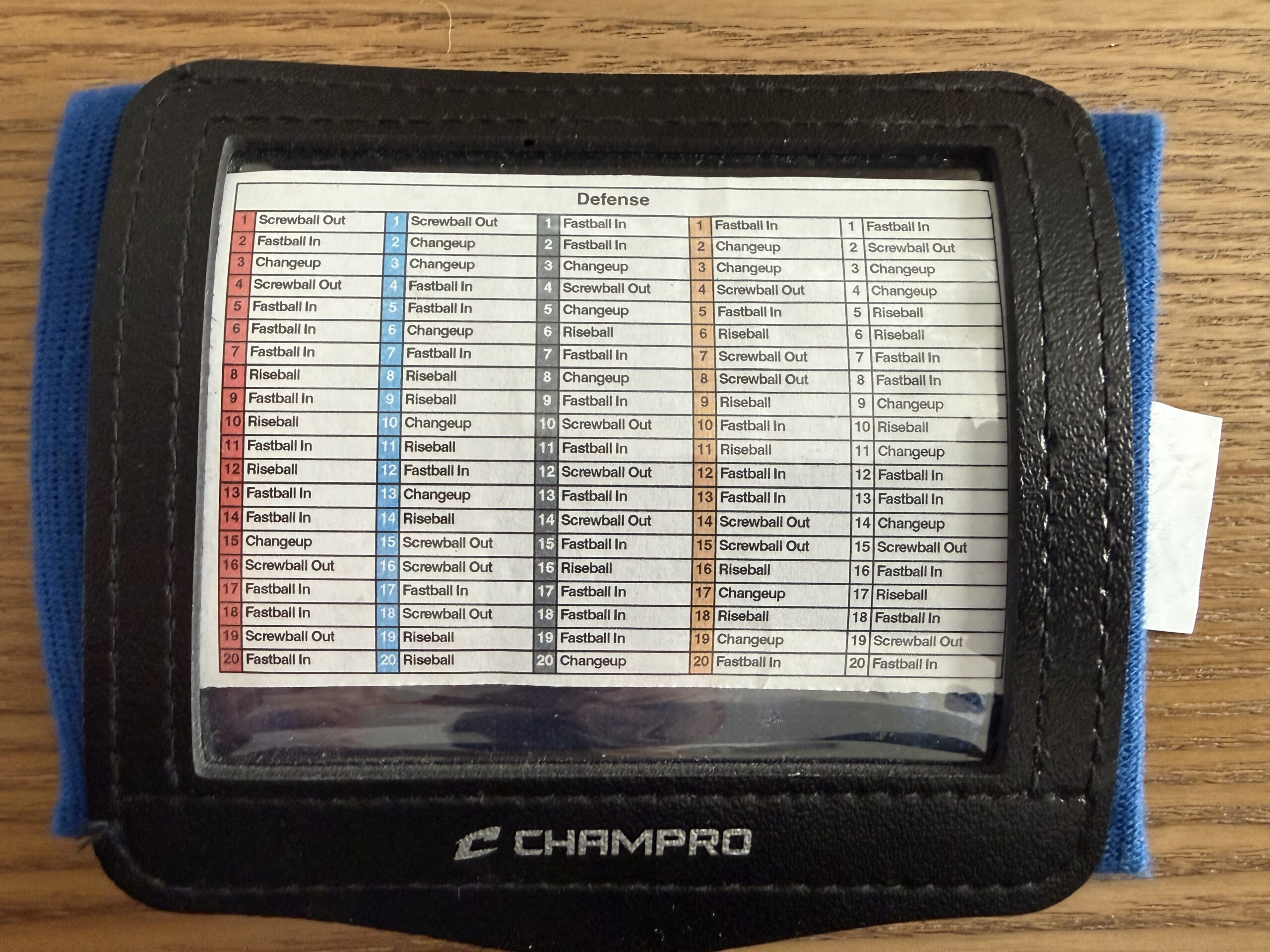
The Simple layout in Armband Creator is designed for younger players — think 8U through 12U baseball and softball. Instead of a dense grid of numbers, it uses color-coded columns that make it easy for kids to find the right play at a glance. A coach calls out a color and a number, and the player looks it up on their wrist. No confusion, no delay.

Guides

Supplies Needed to Create Wristbands

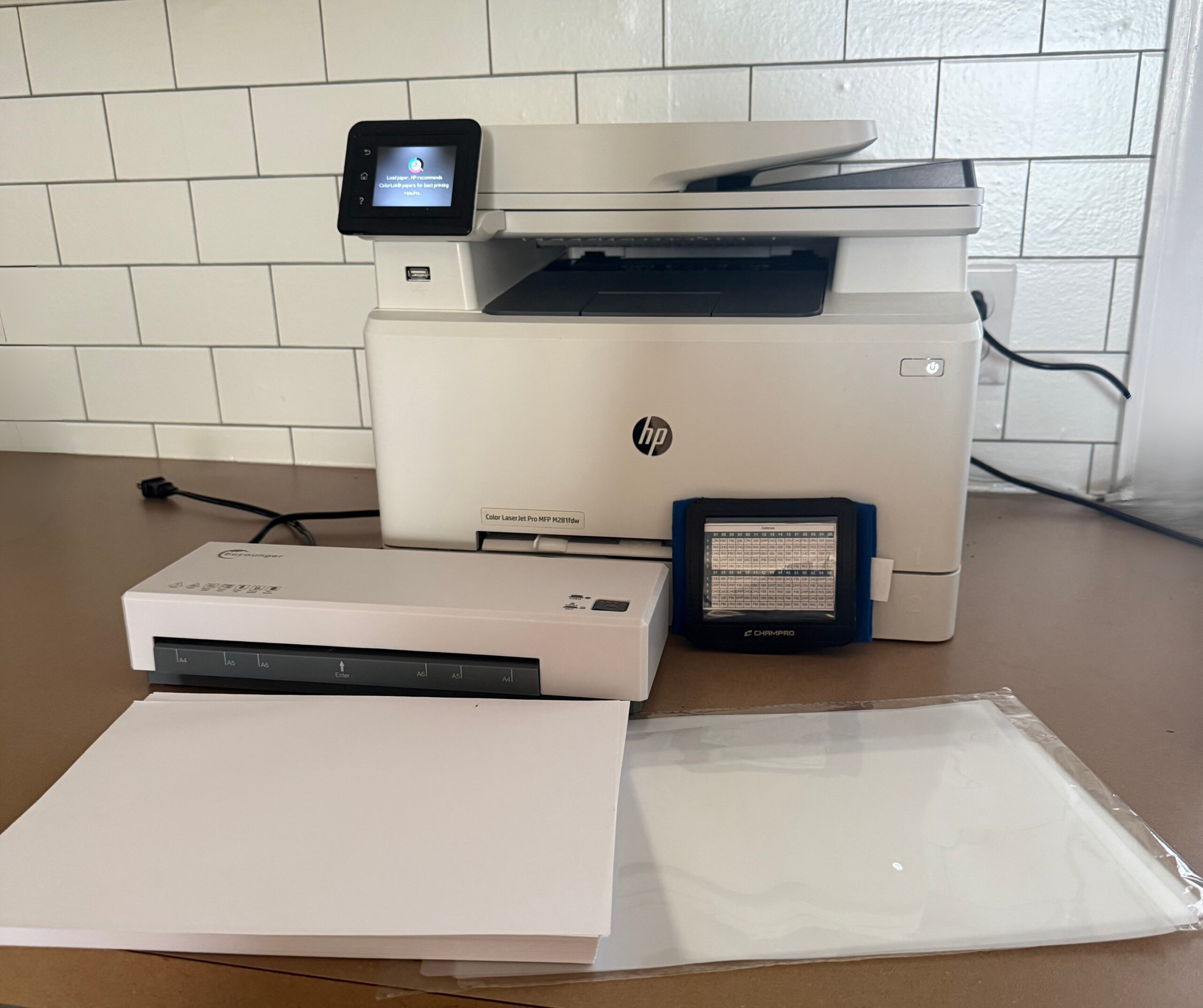
So you've signed up for Armband Creator and you're ready to build play-call wristbands for your baseball or softball team. The app handles the design — but you still need a few baseball wristband supplies to go from screen to game day.

Pricing

One Price. Lifetime Access.

Best Value

$99

One-time payment. No monthly fees.

  • Unlimited wristbands forever
  • All features included
  • Free updates for life
  • No credit card recurring charges
Get Started Now

30-Day Money-Back Guarantee

Try Armband Creator risk-free. If it doesn't work for your team, let us know within 30 days for a full refund. No questions asked.

Who It's For

Perfect for Every Level of Baseball/Softball

Youth

Travel

High School

College

FAQ

Frequently Asked Questions

How much does Armband Creator cost?

$99 one-time payment. No monthly fees, no subscription. Lifetime access to all features and future updates.

Is there a monthly subscription?

No. You pay once and get unlimited access forever. No recurring charges.

What's the refund policy?

30-day money-back guarantee. If it doesn't work for your team, email us within 30 days for a full refund. No questions asked.

What sports does it work for?

Baseball and softball. Simple and Advanced layouts work for both.

What age levels is it for?

Youth (8U) through college. Simple wristbands are popular with younger players, Advanced with older — but either type works for any level.

What's the difference between Simple and Advanced wristbands?

Simple: 5 color-coded columns, full play names, called by color + number (e.g., "Blue 3"). Great for 8U–12U. Advanced: Compact grid, 3-character abbreviations, an optional color on any play call (handy for pitch location), numeric calls (e.g., "014"). Fits more plays, popular with 14U+. Either type works for any team — pick what fits your players best.

What can I customize?

Play names, column colors (Simple) or header color plus an optional color on each play call (Advanced), wristband title, and layout type. Everything updates in real time before you download.

What type of wristband works best for my team?

Simple wristbands are best for younger or less experienced players — color-coded columns are easy to read quickly. Advanced wristbands pack more plays into a compact grid, ideal for experienced players. Either type works at any level — go with what fits your team.

Can I use it for offense and defense?

Yes. You can create separate wristbands for offensive plays, defensive plays, or both. Each wristband is independent, so you can customize them however your team needs.

Can I share my account with other coaches?

Each license is for one individual. If multiple coaches on your staff need access, each person will need their own account. This keeps your play sets private and your account secure.

What supplies do I need?

Just access to a printer and scissors. Laminating is optional but recommended for durability. Here are the products we recommend:

For a full breakdown, check out our guide: Supplies Needed to Create Baseball Wristbands

Start Creating Wristbands Today

Join coaches who've simplified their game day prep with Armband Creator.

Get Armband Creator - $99